Installing Arbiter Client
Arbiter clients use the native arbiter command to talk to an Arbiter server.
You can install that client as part of an agent skill, or install
arbiter-client directly into a Python environment.
Agent Skill
The Arbiter skill gives supported agents an Arbiter-specific entry point and a
native arbiter client beside the skill. The example below installs it
globally for Codex using the default Codex home.
Arbiter uses Agent Skill Installer to install the skill. Install it with:
python3 -m pip install agent-skill-installer
Agent Skill Installer offers a text UI that can install arbiter-skill from
PyPI and let you select the target agent and install scope:
python3 -m agent_skill_installer
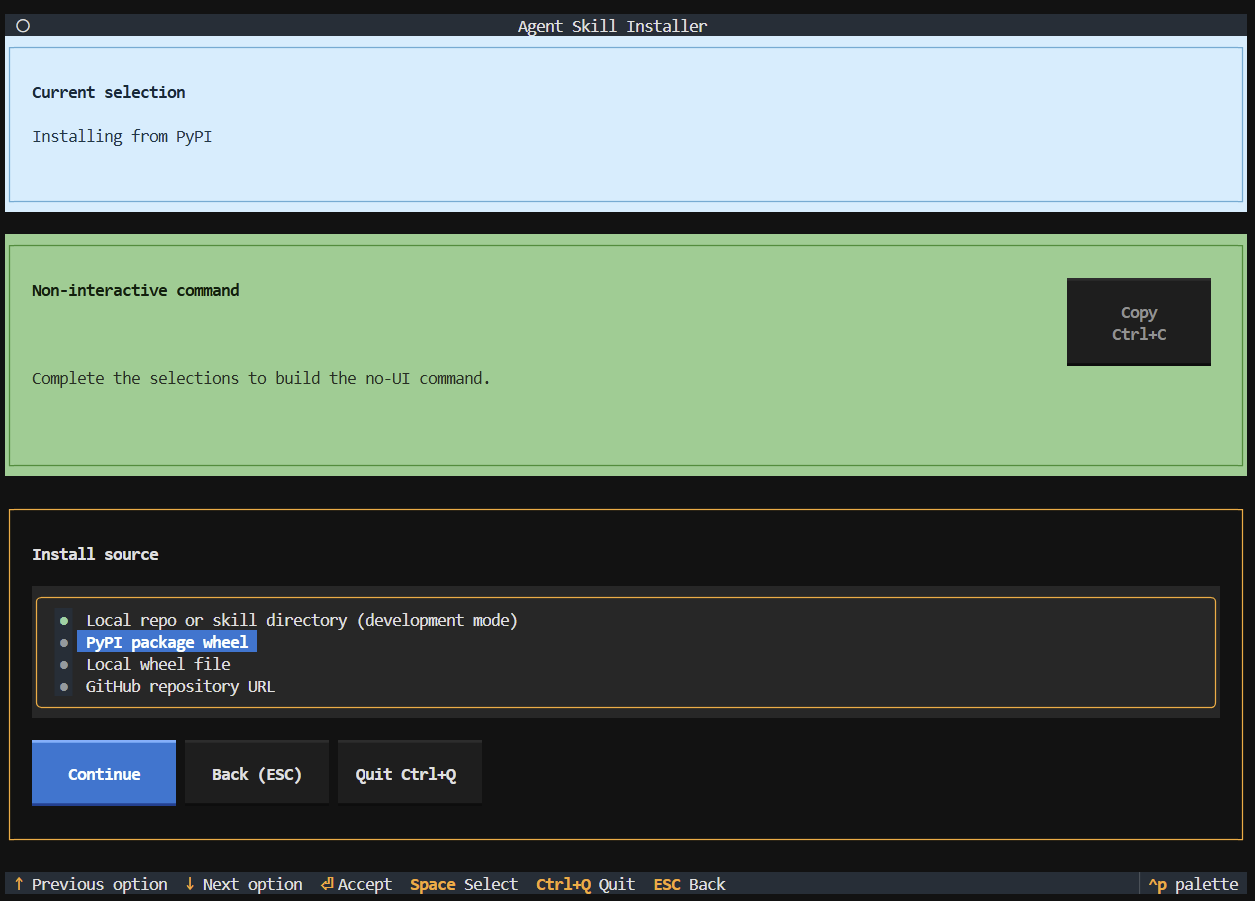
Alternatively, use this command for non-interactive installation:
python3 -m agent_skill_installer --no-ui install \
  --pypi-package arbiter-skill \
  --agent codex \
  --scope global
You can learn more about Agent Skill Installer usage in the Installing Skills guide.
Verify The Skill Client
For a global Codex install, verify the copied native client:
~/.codex/skills/arbiter/bin/arbiter --version
Example output:
arbiter <version>
The skill does not replace server configuration. Configure and run Arbiter as
usual, then point the client at the server with arbiter bootstrap client or
an arbiter.url=... command-line override.
Python Environment
Users can also install the native client directly from PyPI:
python3 -m pip install arbiter-client
This installs the arbiter executable into the Python environment's scripts
directory. When that environment is active, arbiter is available on PATH:
arbiter --version
Example output:
arbiter <version>
Installing arbiter-client directly installs only the client command. It does
not install the Arbiter skill.
The client is a statically linked native executable. PyPI wheels are the current distribution path, but the binary should be straightforward to package for other systems.